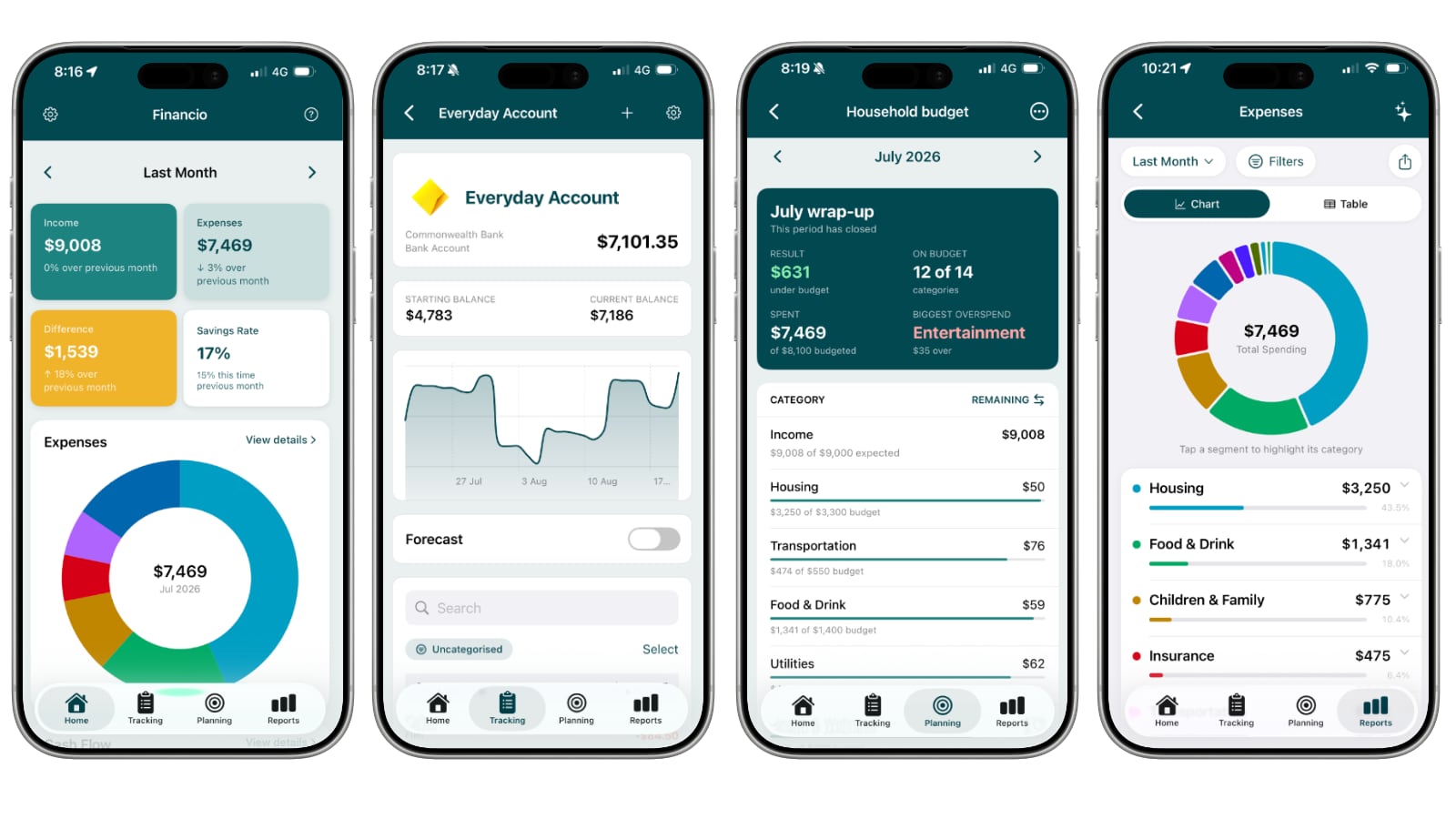
For the last few months a growing group of testers has been running Financio for iPhone alongside the web app. Today it is a full release: Financio for iPhone is on the App Store, and anyone with a Financio account can install it.
Why a native app
Plenty of finance tools ship a mobile app that is really a website in a frame. We did not want that. Financio for iPhone is a native SwiftUI app, built on exactly the same data as the web app. Add a transaction on your phone at the checkout and it is on your laptop when you get home. Change a category on the web and the report on your phone updates to match.
The app is not a companion to the web, and the web is not the real version. They are the same product with full feature parity, so how you use Financio is up to you. Some people will do everything on their phone and never open a browser. Others will live in the web app and never install the iPhone app. Most will mix the two, and whichever way you go, nothing is missing.
What is in the app
Everything you can do on the web, you can do on your iPhone:
- Home dashboard with income, expenses, savings and a category donut, swipeable month by month, plus your net worth chart
- Accounts of every type, including assets and loans, with balance charts and full transaction history
- Transactions: add a spend, a receive or a transfer; split across categories; search every account at once; bulk edit categories, merchants and tags
- Budgets and goals, with the same pace tracking and wrap-up summaries as the web
- Reports: cash flow, income and expenses with drill-down to subcategories, merchants and individual transactions
- Import from CSV and QIF, and on iPhones with Apple Intelligence, from PDF statements and screenshots read privately on the device
- Recurring transactions, rules and household settings so you are not reaching for a laptop to fix a schedule
- Dynamic Type throughout, so the app respects your text size settings
If you have read the recent changelog entries, you will have noticed most new features now land on iPhone and the web at the same time. That is the plan going forward.
Your data
Your data is handled exactly as it is on the web. The app talks to the same Financio servers over the same account, and there is nothing separate to back up or migrate. Sign in and your household, accounts and history are already there.
How to get it
- Download Financio from the App Store. It requires iOS 26 or later
- Sign in with your existing Financio account, or create one in the app
There is nothing to set up on the web side.
If you were on the TestFlight beta, install the App Store version and sign in with the same account, then remove the TestFlight build. Nothing needs to be moved.
Tell us what you think
A good number of the fixes over the last few months came directly from tester feedback, and that does not stop now. If something looks wrong, or something you rely on in the web app is missing, use the feedback option in the app or reach out through the help pages. Every report gets read.
Thanks to everyone who tested the app along the way. We are looking forward to seeing what you make of it.